How Git works: Understanding the workflow behind the commands
Did you know that Git stores your changes in four different locations, not two? Understanding this workflow is key to making Git commands finally make sense.
Let’s talk about how Git actually works.
What is Git?
Git is a version control system that helps you track changes and manage your files. You can save different versions of your work, collaborate with others, and work on documentation projects without overwriting each other’s changes.
If you’re working in docs-as-code, Git is how you manage your documentation the same way developers manage code.
So where do your changes actually live in Git? Git has 4 locations where your changes can exist: three on your local machine (working directory, staging area, local repository) and one remote (the shared repository).
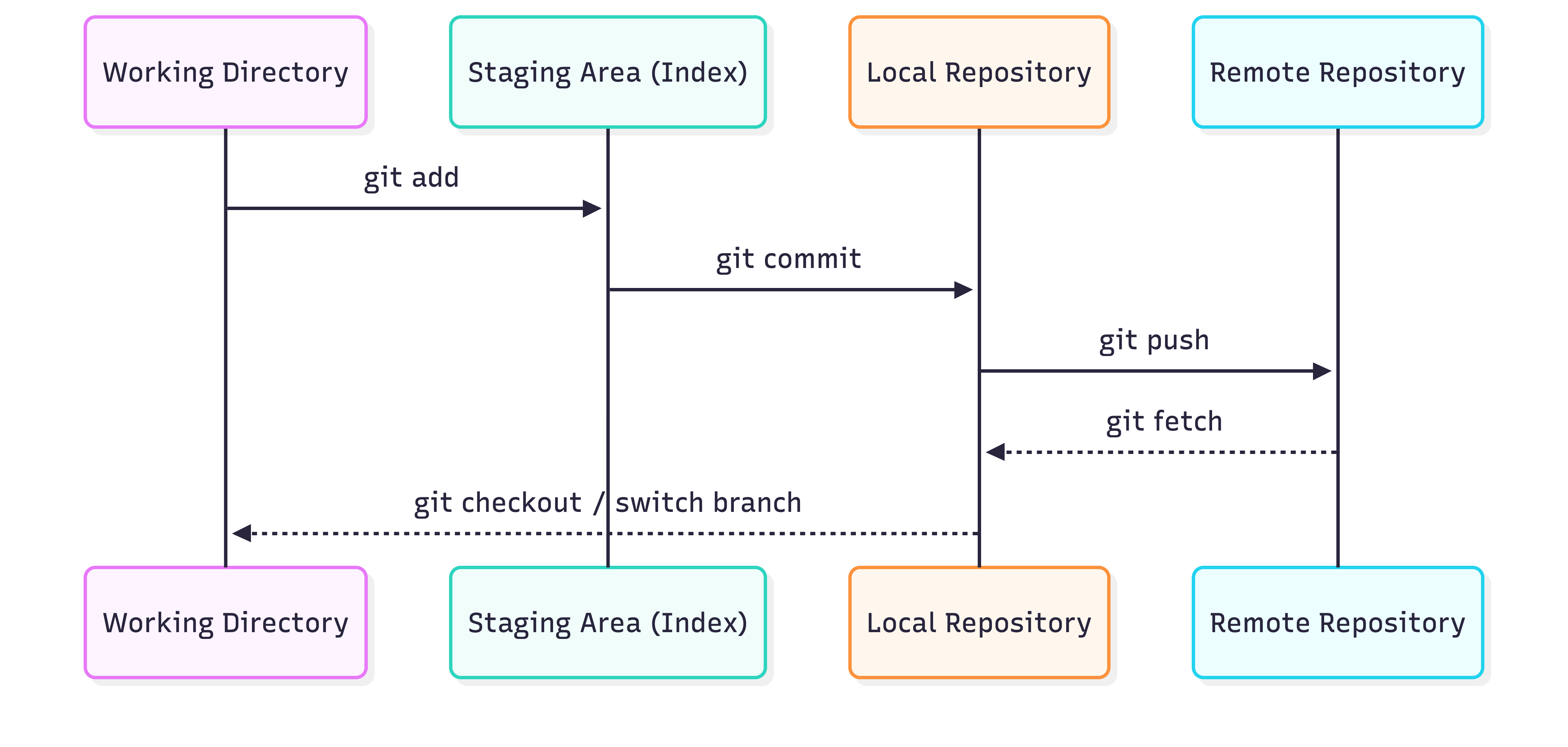
How Git maintains the 4 locations
- Working directory - where you make your edits
- Staging area - where changes wait before committing
- Local repository - where changes are saved on your machine
- Remote repository - the shared repository (like GitHub or GitLab) where your docs are stored
How changes flow through Git
When you’re working on your files:
- You edit files in your working directory
git addchanges move to staging areagit commitchanges are saved to your local repositorygit pushchanges are uploaded to the remote repository
Once I understood this workflow, commands finally made sense:
git addmoves changes to staginggit commitsaves locallygit pushsyncs with your team
Other essential commands
git pullbrings changes from remote to your local repositorygit switchmoves you between branches in your local repository
Once you understand the workflow, the commands make sense. And once the commands make sense, you can work confidently in any environment.
Ready to put this into practice? Check out my post on Git commands I use daily where I share the workflow and commands I learned through trial, error, andand a very patient colleague.